
Notes from the studio
Ideas for making more music.
Free Ableton lessons, producer-friendly music theory, creative projects, useful downloads, and honest notes from a life spent making music. Choose a collection or explore everything.
22 studio notes Ableton Live Bootcamp
Rhythm: Sample Slicing Randomizer
Slice samples into surprising new patterns and build a repeatable Ableton workflow for generating rhythmic variations from almost any sound.
Watch the lesson→ Ableton Live Bootcamp
Rhythm: Building Beats with Audio
Transform audio clips into playable rhythmic material and use slicing, timing, and repetition to create beats that feel less predictable.
Watch the lesson→ Ableton Live Bootcamp
Rhythm: MIDI & Mangle
Start with downloadable MIDI rhythm material, reshape it inside Ableton Live, and quickly generate fresh beat ideas of your own.
Watch the lesson→ Ableton Live Bootcamp
Rhythm: Duplicate & Vary
Use repetition without getting repetitive: duplicate rhythmic ideas, introduce purposeful variation, and develop beats into longer musical phrases.
Watch the lesson→ Ableton Live Bootcamp
Recording MIDI & Automation
Capture performances, edit MIDI with confidence, and use automation to bring movement, expression, and polish to an Ableton Live production.
Watch the lesson→ Ableton Live Bootcamp
Recording Audio
Record clean audio into Ableton Live and understand the routing, monitoring, takes, and workflow decisions that make a session feel effortless.
Watch the lesson→ Ableton Live Bootcamp
Arrangement View
Turn loops and sketches into a developing song by learning how Ableton’s Arrangement View handles structure, timing, editing, and musical momentum.
Watch the lesson→ Ableton Live Bootcamp
The Basics: Ableton Live Foundations
Build a clean foundation in Ableton Live, including tracks, clips, Session and Arrangement View, MIDI editing, navigation, and the shortcuts that keep ideas moving.
Watch the lesson→ Ableton Live Bootcamp
File Management & Music Elements
Organize your Ableton projects, protect your audio files, save useful versions, and build a dependable system for capturing musical ideas.
Watch the lesson→ Studio Note
Emotional Challenges New Music Producers Face
When it comes to creating new music, new music producers face a constant struggle with emotions. Whether they’re feeling frustrated, intimidated, or overwhelmed, they must fin…
Read the article→ Studio Note
Ai will replace sound designers and composers
Artificial intelligence (AI) has become increasingly popular in the music production industry. It has the potential to revolutionize the way music is created and produced, mak…
Read the article→ Music Theory Crash Course
Chord Progressions
Connect chords into progressions with intention and use harmony to create direction, contrast, emotional movement, and satisfying resolution.
Watch the lesson→ Music Theory Crash Course
Chords
Build chords from intervals, recognize common chord qualities, and understand what makes a harmony sound stable, bright, dark, or unresolved.
Watch the lesson→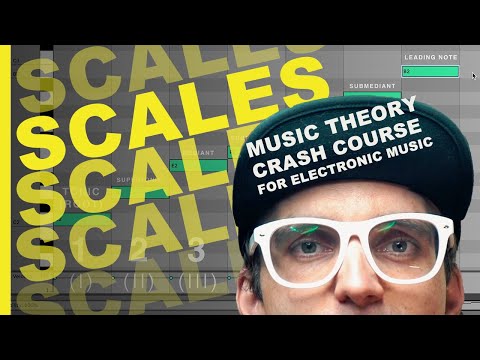 Music Theory Crash Course
Scales
Make scales practical by connecting their note patterns to Ableton’s piano roll, musical keys, melodic choices, and the sound of a production.
Watch the lesson→ Music Theory Crash Course
The Chromatic Tonal System
See how the twelve available notes are organized and learn a producer-friendly framework for navigating pitch directly inside a DAW.
Watch the lesson→ Music Theory Crash Course
Beats, Rhythm & Timing
Understand the grid, beats, bars, note divisions, tempo, and timing so rhythmic decisions inside Ableton Live become clear and intentional.
Watch the lesson→ Music Theory Crash Course
Alternate Chord Voicing
Rearrange chord tones to make progressions smoother, wider, more expressive, and better suited to the instruments in your production.
Watch the lesson→ Music Theory Crash Course
Intervals
Learn how the distance between notes creates musical character—and how intervals help you understand melodies, chords, harmony, and tension.
Watch the lesson→ Music Theory Crash Course
Pitch
Understand pitch, frequency, sound waves, and the piano roll—the essential language behind every melody, bass line, chord, and tuned drum sound.
Watch the lesson→ Studio Note
Music Producer Nightmares | Retro Poster Remixes for Halloween
Poster Remixes | Music Producer Nightmares A collection of retro poster designs, remixed by Spacefood to poke a little fun at some of the most common issues music producers fa…
Read the article→ Studio Note
How to DJ using the PUSH 2 by Handsome Hansel
Handsome Hansel has done it again in this new, 9-minute long tutorial on how he uses the PUSH 2 to DJ with Ableton Live. This is another video produced by Hansel and posted on…
Read the article→Synthesis Essentials
A practical, producer-friendly guide to oscillators, filters, envelopes, modulation, and building a first patch in Ableton Operator.
Read the article→